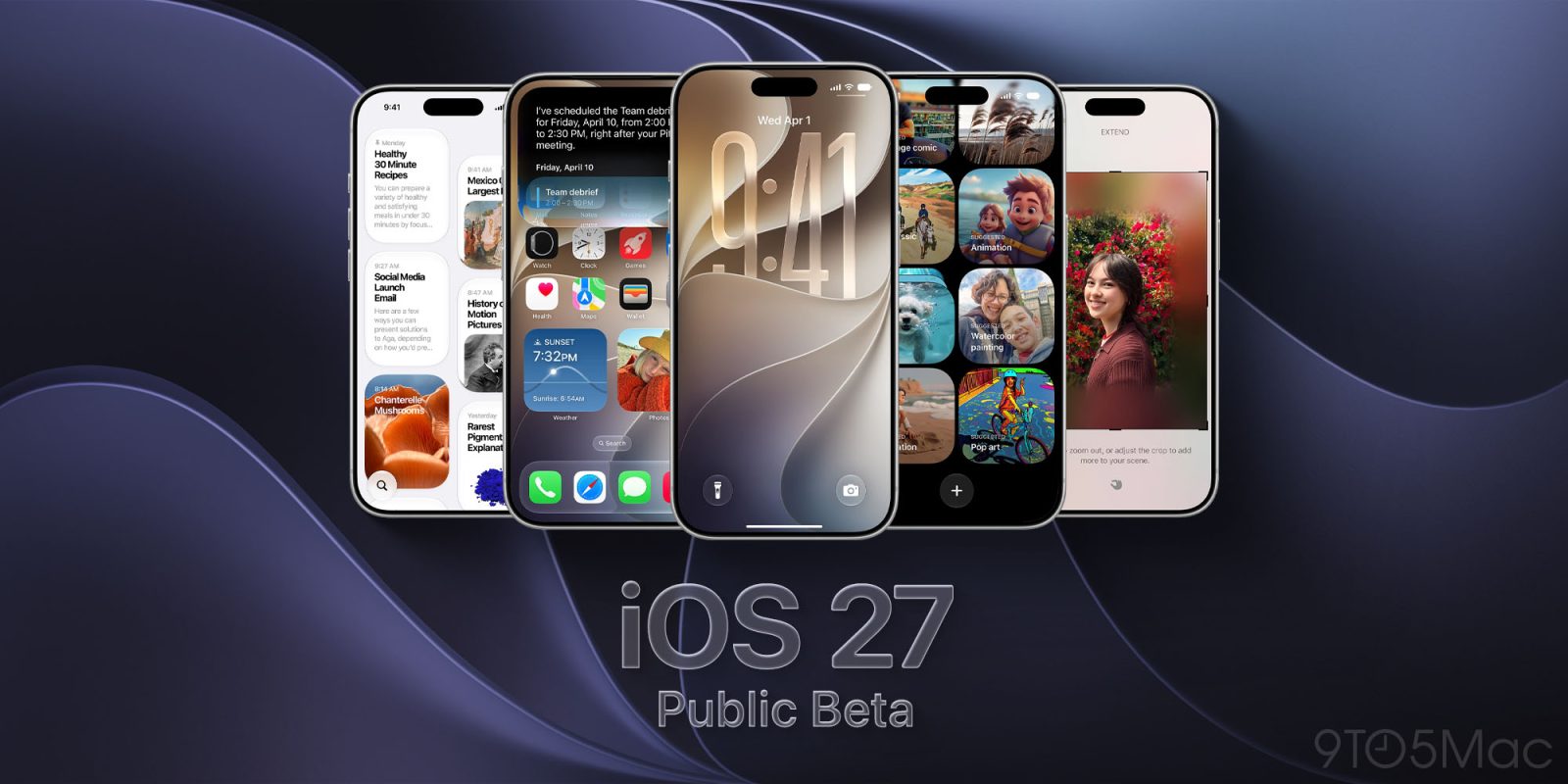
Apple introduces iOS 27 following its WWDC 2026 keynote and seeds the first developer betas to registered developers. The developer betas are available through the Settings app, and Apple plans a public beta in July. The full release is expected in the fall. Across the update, Apple emphasizes a more capable, “personal” Siri experience that includes a dedicated Siri app and new Apple Intelligence features that appear across apps such as Camera, Photos, Wallet, Shortcuts and more. Several changes are tied to on-device interactions: a “Siri” mode in the Camera app is described as supporting actions like scanning nutrition labels and creating actions for bill splitting and adding passes to Apple Wallet. For Apple Wallet, Apple describes the ability to create custom passes from physical membership or loyalty cards, plus expanded trip-related details for participating hotels and resorts. Apple Maps gets updates including enhanced Flyover powered by AI and a Local Lists feature in the U.S. Find My gains more flexible location-sharing timers and pause controls. Apple also highlights Photos improvements such as AI-assisted edits and generated subtitles, plus accessibility captions for personal video. Alongside headline features, Apple lists numerous smaller optimizations related to performance, connectivity, widgets, Mail, Safari, Maps accuracy, and battery behavior.
Apple seeds first iOS 27 beta with new Siri, bill splitting, Maps and Wallet features
Apple introduces iOS 27 following its WWDC 2026 keynote and seeds the first developer betas to registered developers. The developer betas are available through the Settings app, and Apple plans a publ...
- Apple seeds the first iOS 27 developer beta after WWDC 2026, with installation through Settings for registered developers.
- A public beta is planned for July, with a general release expected in the fall (September for iOS).
- iOS 27 adds a dedicated Siri app and additional Apple Intelligence features across apps like Camera, Photos, Wallet, and Shortcuts.
- Apple Maps is updated with enhanced Flyover (AI-powered) and a U.S. Local Lists feature.
- New capabilities include Apple Wallet custom passes from physical cards and bill splitting in the U.S. via Apple Cash in Messages and Wallet (with Siri mode in Camera also referenced).
iOS 27's key new feature is a more intelligent and personal version of Siri, but the changes go well beyond that. In a press release today, Apple outlined additional enhancements coming across Apple Maps, Find My, Apple Wallet, Apple Music, and more. Apple Maps has gained an enhanced Flyover experience powered by AI, enabling you to view aerial imagery in "stunning detail" for select cities. In the U.S., Apple Maps has also received a new Local Lists feature, which surfaces things such as trending restaurants and kid-friendly places to visit. In the Find My app, you will have the ability to share your location with others for a custom duration, such as four days and six hours. Or, you can set a set an exact date and time for your location sharing to expire. In addition, you can now pause your location sharing with specific people until the end of the day. On iOS 26 and earlier, there are only three preset timeframes available: indefinitely, until end of day, and one hour. In the U.S., iOS 27 allows you to split bills with a new feature powered by Apple Cash and Apple Intelligence. This capability is available in the Messages and Apple Wallet apps, or by using the new Siri mode in the Camera app. "When users point their iPhone at a receipt using Siri mode, it can surface the relevant action to split a bill with Apple Cash and identify the items on the receipt," said Apple. "As users select their items, their total payment is calculated, including their share of tax and tip, so they can pay back exactly what they owe with Apple Cash." You can now create custom passes in Apple Wallet from physical cards, like loyalty or membership cards. With the Siri mode in the Camera app, you can simply point your iPhone at any physical card with a barcode and save it to Apple Wallet. Once added, passes are ready to present as a barcode or QR code right from the iPhone. iOS 27 provides an enhanced Apple Wallet key experience for participating hotels and resorts. You can view more details about your trips, receive updates about booked activities, access services available during your stay, and more. Apple Pay's checkout flow on the web and in apps is getting an updated design that allows you to swipe to switch payment cards. And if you have an eligible card in Apple Wallet, it will be accompanied by more information, including rewards balances, debit account balances, pay later options, and more. As part of the Tap to Pay on iPhone feature, new Tap to Share functionality allows you to connect to a participating small business owner's iPhone and securely share shipping information, email addresses, loyalty rewards, and more. In the Apple Podcasts app, there is a new "search within show" feature. In the Photos app, iCloud Shared Albums now support full-resolution sharing, more file types, emoji reactions, and more. Even people without an Apple device can now join and contribute photos to these shared albums on the web. In the Apple Music app, Apple said the AutoMix feature has "even better transitions" that feel "more immersive and engaging for listeners." Introduced in iOS 26, AutoMix adds seamless, DJ-like transitions between songs. Apple Music's Lyrics Translation feature is expanding to seven additional language pairings: English to French, English to German, English to Italian, English to Korean, English to Spanish, French to English, and Japanese to English. Apple's press release provides more details about these features and a few others. iOS 27 is currently available in developer beta, with a public beta to follow in July. The update is expected to be released in September.Related Roundup: iOS 27Tags: Apple Maps, Apple Music, Apple Wallet, Find MyThis article, "Apple Says iOS 27 Adds These 12 New Features to Your iPhone" first appeared on MacRumors.comDiscuss this article in our forums
7 hours agoAt the WWDC 2026 keynote, Apple detailed iOS 27 changes like a new version of Siri with a dedicated Siri app and Apple Intelligence features across multiple apps, but there are dozens of smaller but still important changes that Apple didn't have time to go through. Apple shared an image summarizing some of the bug fixes and optimizations it made in iOS 27, iPadOS 27, and macOS 27, and there are some interesting changes. Dual Phone Numbers Apple says you'll be able to switch between two iPhone devices with the same phone number, which presumably means you can set up two iPhones with one number and then swap between them as needed. It could work similar to how an iPhone and Apple Watch can share the same phone number. It should be a useful change for anyone who wants to get a foldable iPhone and a standard iPhone 18 Pro this year. Sharing numbers between two iPhones may require carrier support, so it's not clear if it's implemented in the beta. Two FaceTime Cameras Dual camera in FaceTime is a listed feature, and that likely means you'll be able to use the front and back cameras at the same time during FaceTime calls. Faster AirPlay and AirDrop AirPlaying content to the HomePod and Apple TV is faster than before thanks to multiple system improvements. AirDrop transfers from the iPhone to other devices are also faster, and it's quicker for an iPhone to find nearby AirDrop recipients. Messages Drawing App There's a drawing app in Messages where you can handwrite a message or draw a picture. It uses the same drawing tools that are available in the Notes app or when annotating images. Extra Large Widgets There's a new extra large widget size you can select on the iPhone's Home Screen. The extra large size takes up an entire app page and displays more information from an app. Shared Album Expirations You can now set a shared photo album to expire after a set time, so it doesn't exist indefinitely. Independent Alarm Volume Alarm volume can be controlled separately from system volume, as can alerts and system sounds. In Settings > Sounds & Haptics, there are toggles to match Alarms, Timers, Alerts, and System Sounds to Ringtone Volume or to decouple them. Toggling off the match option lets you select a preferred volume level for alarms and system sounds. Markdown in Notes You can now copy and paste Markdown in the Notes app. Save a Video Frame There's a new option to save a video frame as a photo in the Photos app. Weather The Weather app has a "Highlights" view with at-a-glance information, plus it includes updated hourly and 10-day views for precipitation and wind speed. Other iOS 27 Optimizations and Changes Faster message loading in Mail Enhanced Safari power efficiency Improved battery insights Smoother scrolling in App Library Smoother unlocking on iPhone New AutoMix transitions in Apple Music Faster HomeKit accessory pairing Faster start page loading in Safari More accurate Visited Places in Maps Improved Messages syncing across devices More power efficient personal hotspot on devices with N1 chip Failed messages will automatically try resending Improved Bluetooth power management Support for time zone changes in Sleep Improved unread badge accuracy in Mail These are just some of the improvements and changes that Apple has introduced in iOS 27. We'll be sharing more new features in iOS 27 as they're discovered by the community. The iOS 27 beta is available for developers right now, with Apple planning to introduce a public beta in July. iOS 27 will launch this fall.Related Roundup: iOS 27This article, "iOS 27 Tidbits: Share a Phone Number on Two iPhones, Independent Alarm Volume, Faster AirPlay and More" first appeared on MacRumors.comDiscuss this article in our forums
1 day agoFollowing the WWDC 2026 keynote event, Apple has seeded the first betas of iOS 27, iPadOS 27, macOS 27, watchOS 27, tvOS 27, and visionOS 27 to developers for testing purposes. Registered developers can opt in to betas and download the software through the Settings app on each device. The software includes many of the new features that were shown off earlier today, though some of what Apple demoed won't be available right away. Highlights include an updated version of Siri with a Siri app and new AI features for apps like Photos, Camera, and Wallet. There are dozens of new features to go through, including hundreds of smaller tweaks and changes that we'll be writing about over the next several weeks. Make sure to stay tuned to MacRumors for hands-on coverage, guides, how-tos, and an in-depth look at everything you'll want to know about the new software. Today's betas are limited to developers who will incorporate the new features into their apps. Apple will release a public beta so anyone can test out the software in July. iOS 27, iPadOS 27, macOS 27, watchOS 27, tvOS 27, and visionOS 27 will all launch to the public in the fall.Related Roundups: Apple TV, Apple Vision Pro, iOS 27, macOS 27, watchOS 26Buyer's Guide: Apple TV (Don't Buy), Vision Pro (Neutral)Related Forums: Apple TV and Home Theater, Apple Vision Pro, Apple WatchThis article, "Apple Releases First iOS 27, iPadOS 27, and macOS 27 Betas to Developers" first appeared on MacRumors.comDiscuss this article in our forums
1 day agoApple is set to unveil iOS 27 during its WWDC 2026 keynote today, and there are many rumored features and changes for iPhones. The first developer beta of iOS 27 will likely be available immediately following the keynote, and a public beta typically follows in July. Following beta testing, the software update should be released to all users with a compatible iPhone in September. Below, we outline 12 new features that are rumored to be coming with iOS 27: Siri App: A dedicated Siri app will allow users to have back-and-forth conversations with Siri, similar to other chatbots like ChatGPT. Search or Ask: Swiping down on the Dynamic Island area will open a new "Search or Ask" interface powered by the revamped Siri. "Create a Pass" in Apple Wallet: iOS 27 will reportedly let users create their own digital passes for physical items like a gym membership card. Apple Cash Bill Splitting: In the Wallet and Messages apps, a person who paid a bill in full will be able to take a photo of the receipt, assign individual items to certain people, and then generate Apple Cash payment requests for the purpose of reimbursement. Apple Cash is currently available in the U.S. only. "Extend" and "Reframe" in Photos: Two new Apple Intelligence photo editing options. Generated Subtitles: Apple previewed new accessibility features coming in iOS 27, including automatic captions for personal iPhone videos. Apple Maps via Satellite: iOS 27 will reportedly include several new satellite features, including Apple Maps via satellite. Battery Life Enhancements: iOS 27 been likened to Mac OS X Snow Leopard, in the sense that Apple is reportedly focused on bug fixes and performance improvements. Longer battery life is expected as a result. Improved Autocorrect: Apple has reportedly tested an updated iPhone keyboard with enhanced autocorrect functionality. Visual Intelligence Expansion: A new "Siri" mode in the Camera app will let you scan nutrition labels and contact information. Apple Intelligence for Shortcuts: In the Shortcuts app, Apple Intelligence will be able to create shortcuts based on natural language prompts. Custom Wallpapers: Apple Intelligence will be able to generate iPhone wallpapers.As was the case with iOS 26, it is likely that anyone with an Apple Developer account will be able to install the iOS 27 developer beta for free, with Apple Developer Program membership for $99 per year no longer required. After registering, restart your iPhone and open the Settings app. Next, tap on General → Software Update → Beta Updates and select the iOS 27 Developer Beta once it is seeded later today. To install a public beta, first sign up at beta.apple.com. After enrolling, restart your iPhone and open the Settings app. Next, tap on General → Software Update → Beta Updates and select the iOS 27 Public Beta once it is available. iOS beta versions can have bugs and performance issues. Backing up your iPhone before installing beta software is highly recommended.Related Roundup: iOS 27This article, "iOS 27 Beta Available Today With These 12 New Features" first appeared on MacRumors.com
2 days ago
TechRadar publishes daily Quordle hints and answers for multiple dates
TechRadar runs a series of daily posts providing help for the word game Quordle, including hints and the solution for sp...
NYT Connections and Strands puzzles: hints and answers published across multiple outlets
Several outlets publish daily walkthroughs for The New York Times puzzle games, including NYT Connections and NYT Strand...
NYT Strands daily guides provide hints, clues, and answers for multiple dates
Multiple outlets publish daily coverage for the New York Times word game “Strands,” offering players guidance to solve e...